September 22, 2026·6 min read
How Web Agencies Can Offer Accessibility Without Hiring a Specialist
A 5-to-30-client agency doesn't need an accessibility specialist to offer this as a real service, it needs a repeatable workflow. Here's what it looks like.
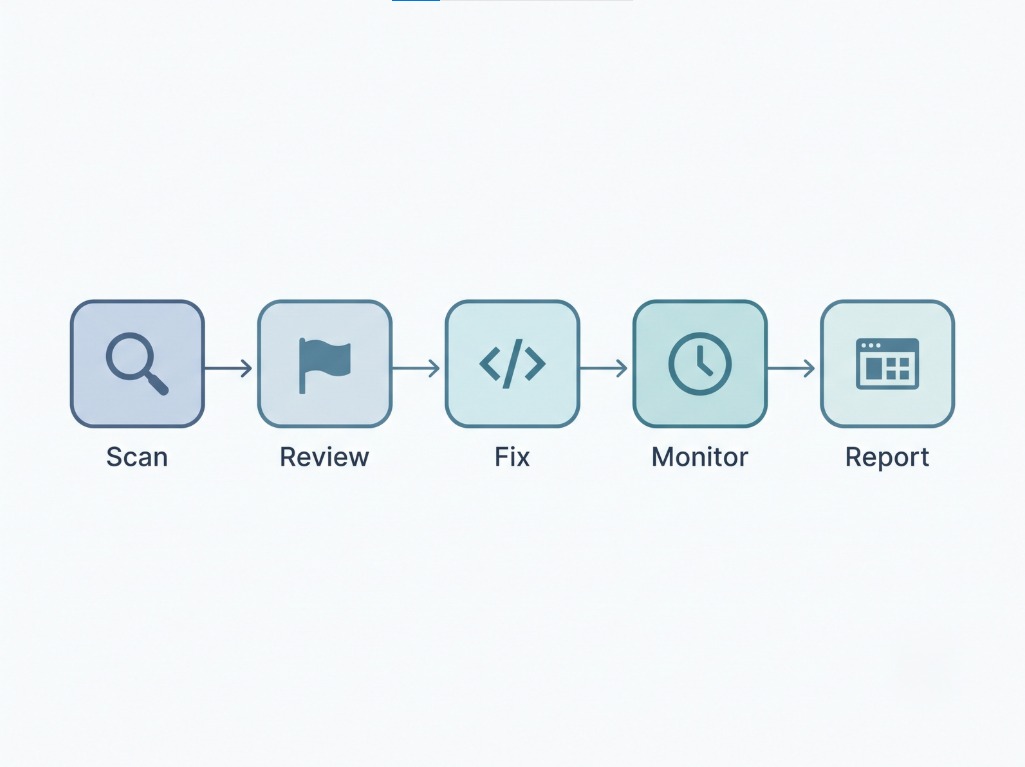
An agency managing 5 to 30 client sites doesn't need an in-house accessibility specialist to offer this as a real service, it needs a repeatable workflow: scan every site, review what needs a decision, hand off or apply the fixes, and monitor on a schedule. The specialist hire only becomes necessary at a scale most small agencies haven't reached yet. Here's what the realistic version of this workflow actually looks like.
#Key Takeaways
- A specialist hire is a real cost most 5-to-30-client agencies don't need to carry, the actual workflow breaks into steps a generalist can run with the right tooling behind it.
- Scan first, across every client site, on a schedule, not one at a time when something comes up. Consistency across clients is what makes this a service, not a favor you do occasionally.
- Separate what's automatic from what needs a decision. A category that ships as a real code change doesn't need your time. A category flagged for review does, and that's where your actual judgment matters.
- Weekly or monthly monitoring, not a one-time audit, is what turns this into an ongoing service relationship instead of a single invoice.
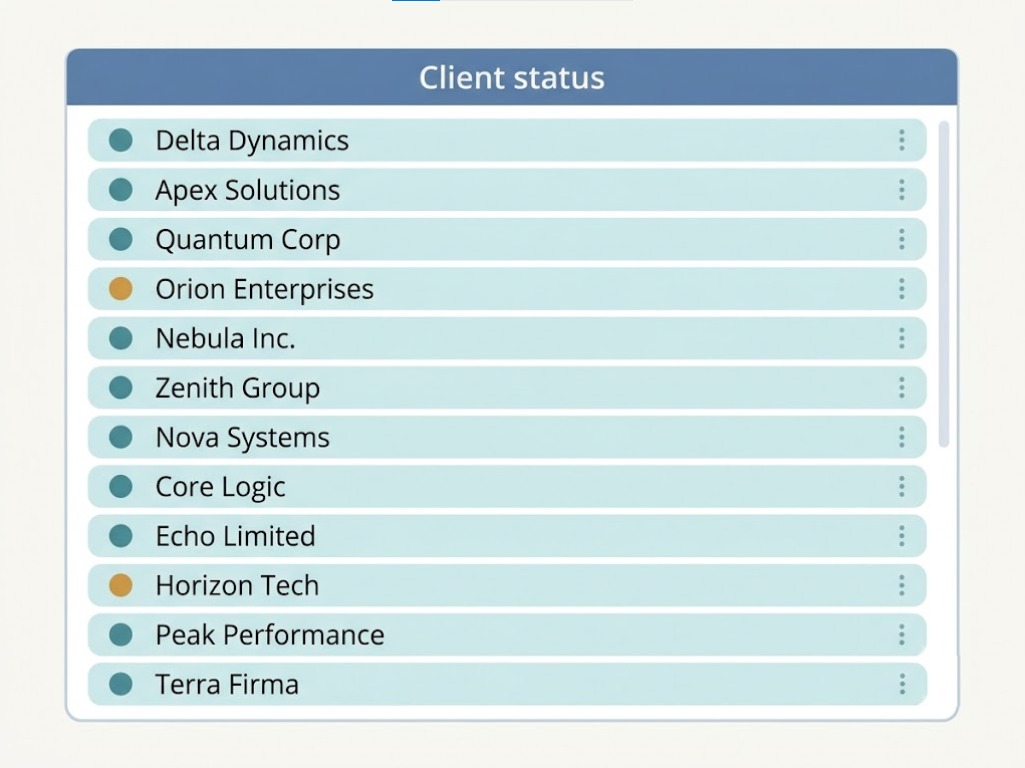
- Per-client visibility matters as much as the fixes themselves. An agency managing many sites needs to see, at a glance, which clients are in good shape and which need attention now, not dig through each site individually to find out.
#Why This Doesn't Require a Specialist Hire
Hiring a dedicated accessibility specialist makes sense once you're managing accessibility work across dozens of sites at real depth, custom ARIA widget design, genuinely novel interaction patterns, the parts of this field that need deep specialized judgment. Most agencies in the 5-to-30-client range aren't there yet, and won't be for a while.
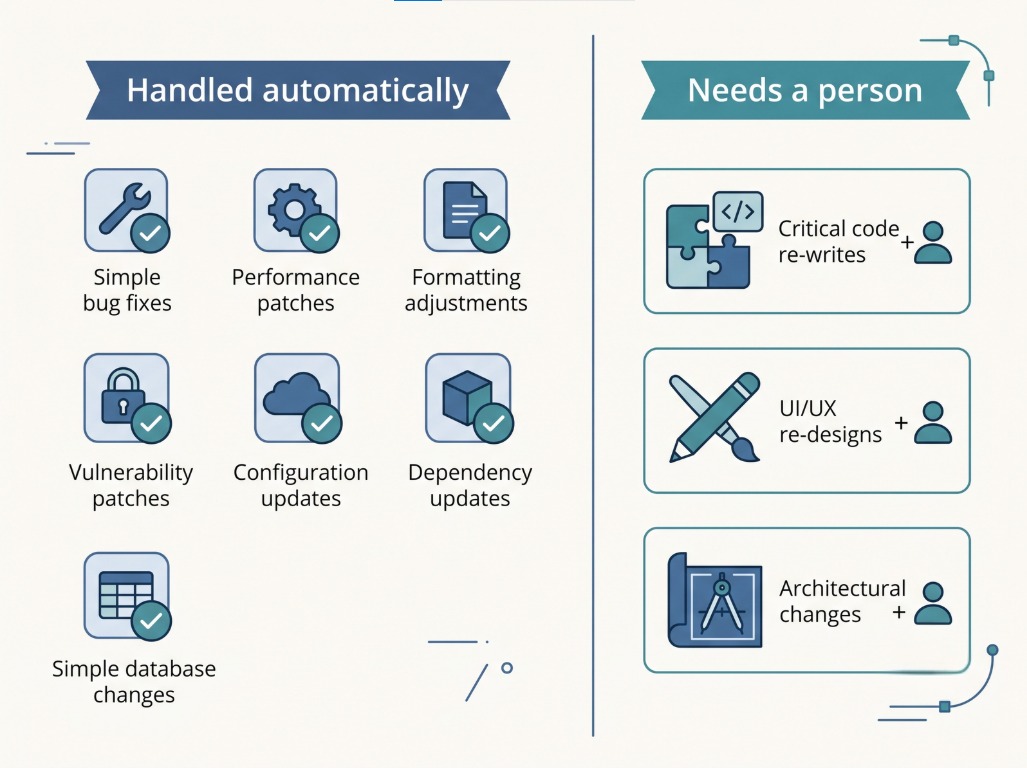
What they actually need is a workflow that turns "accessibility" from a special project into a repeatable line item, the same way hosting or basic SEO maintenance already work. That's a process problem, not a hiring problem, and it's solvable with the right tooling and a clear division of labor: automated tools handle what's genuinely mechanical, and a person on your team makes the judgment calls that are left over.
#The Realistic Workflow
1. Scan every client site on a schedule, not reactively. Waiting until a client asks, or worse, until a demand letter shows up, means you're always starting from zero under time pressure. A standing weekly or monthly scan across every site in your portfolio means you already know where things stand before anyone asks.
2. Review what's flagged, not everything. Not every finding needs your attention. Categories that ship as real, already-applied code fixes don't need review, they're done. What actually needs a person is the smaller set of items flagged for manual judgment, a form label that needs a human to reasonably guess the field's real purpose, a custom widget that needs someone with actual product context.
3. Hand off or apply the fixes. For a client on a GitHub-connected codebase, this is often a pull request your team reviews and merges like any other code change. For a Shopify client, it's a guided checklist a theme editor works through. The mechanism differs by platform, but the review step is the same either way: someone on your side signs off before anything client-facing changes.
4. Monitor weekly, report monthly. A site that passed a scan in January can fail by March, new pages get added, themes get updated, content changes. Ongoing monitoring catches drift before it becomes a client's problem, and a regular, dated report is what actually demonstrates continuous value instead of a one-time deliverable that gets forgotten.
5. Track per-client status at a glance. Once you're past a handful of sites, checking each one individually stops scaling. A single view showing risk level across your whole client list, who's in good shape, who needs attention, who hasn't been touched this month, is what makes this manageable at 10, 20, or 30 clients instead of turning into a spreadsheet nobody maintains.
#What Actually Needs a Person, and What Doesn't
The honest split matters here as much as it does for any single fix category. A meaningful share of common WCAG violations resolve through an automated, already-applied fix, alt text, form labels, language attributes, skip navigation, link and button names, among others. Those genuinely don't need your team's time once they're set up and running.
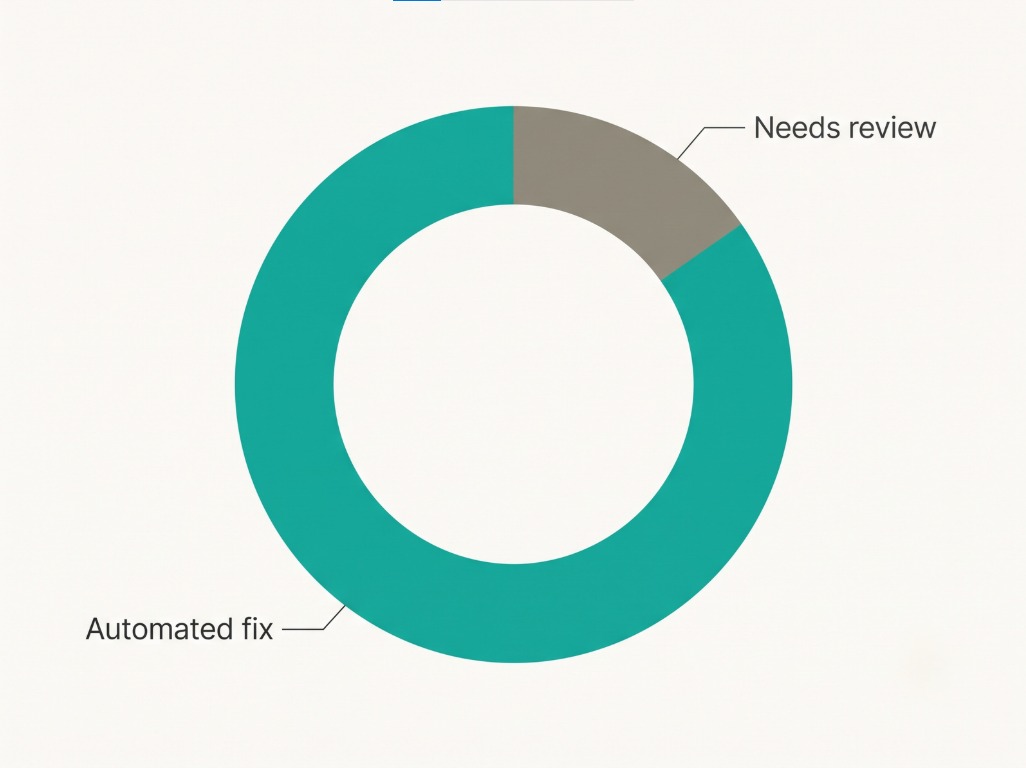
What does need a person: anything that requires understanding what a specific client's page is actually trying to do, a genuinely custom interactive component, a judgment call about whether a proposed color change fits a client's brand, deciding whether a flagged item is worth raising with the client at all. That's a materially smaller set of decisions than handling every single violation manually, which is exactly what makes a 5-to-30-client workload realistic without a dedicated specialist.
#FAQ
#At what point does an agency actually need a dedicated specialist?
Roughly when the work moves from "review flagged items and apply straightforward fixes" to "design genuinely custom interaction patterns for bespoke components across many different client codebases." Most agencies in the 5-to-30-client range are doing the former, which a generalist with the right tooling can handle.
#How much of my team's time does this realistically take per client?
That depends heavily on how customized each client's site is, a template-based Shopify or WordPress site generally needs less manual review than a fully custom-built React application with bespoke components. The scan-and-review step is fast either way, most of the variable time sits in reviewing flagged items, not running the scan itself.
#Can one person realistically manage this across 30 client sites?
With a standing scan schedule and a per-client dashboard to track status, yes, for most agencies in that range. The bottleneck isn't the number of sites, it's how much genuinely custom, one-off work each site requires.
#Should clients know their accessibility work is handled this way, partly automated?
That's your call and largely a positioning decision, but being clear about what's automated versus manually reviewed is good practice either way, for the same reason it's good practice in any first-party accessibility claim: overstating what a tool does is the mistake that gets vendors in real trouble.
#What happens when a client's site changes and breaks something that was previously fixed?
That's exactly what ongoing monitoring is for, rather than a one-time audit. A weekly or monthly scan catches new issues introduced by a theme update or new page before they sit unnoticed for months.
#Sources
Want this in your inbox?
The ADA Alert. Weekly intelligence.
Every Tuesday: accessibility news, common WCAG issues, and code-level fixes. Free. Unsubscribe in one click.
Scope of every report we ship: SCOPE LIMITATION: This report documents violations identified by automated WCAG 2.2 AA scanning using axe-core v4.11.0. Automated tools identify approximately 30 to 40% of all WCAG criteria. This report does not constitute legal advice, guarantee ADA compliance, or protect against legal action. ADA compliance is a legal determination made by courts. For full WCAG conformance assessment, engage an IAAP-certified accessibility professional.