September 15, 2026·9 min read
I Got an ADA Demand Letter for My Website. Now What?
Got an ADA demand letter for your website? Here's the calm, step-by-step version: what to do, what to avoid, and how to document real progress.
Getting an ADA demand letter about your website is frightening, but it is not a verdict, and the wrong panic response can hurt you more than the letter itself. The right first moves are calm and mechanical: don't ignore it, don't rush to install an overlay, preserve the site as it looks right now, start a real dated fix record, and get a lawyer involved for anything beyond the technical remediation. None of this is legal advice. An actual attorney needs to read your specific letter before you decide anything final.

Key Takeaways
- A demand letter is a pre-litigation settlement demand, not a court filing. It has real stakes, but it's a different thing from being sued, and most demand letters never turn into a filed lawsuit.
- Ignoring it is the one response that reliably makes things worse. It doesn't expire on its own, and silence removes your ability to shape what happens next.
- Installing an overlay widget right now is the second most common mistake. It doesn't touch your actual code, and it can be used as evidence you knew about the problem and chose something cosmetic instead of something real.
- The single most useful thing you can start building today is a dated, timestamped record of real code fixes, sometimes called a "Good Faith Timeline." That's a genuinely different artifact from a compliance badge, and it's what a lawyer or insurer actually wants to see.
- This article covers the technical and practical side. The legal response, negotiating with the firm, assessing your actual exposure, deciding whether to settle, needs an attorney who has read your specific letter.
What a Demand Letter Actually Is
A demand letter is correspondence, usually from a law firm representing someone who alleges they couldn't use your website with a screen reader or other assistive technology. It typically names specific problems (sometimes a real list, sometimes vague), asks for a settlement payment, a remediation commitment, or both, within a stated window, and states an intent to file a lawsuit if the matter isn't resolved. It is not a court summons and not a filed complaint. It's an opening move.
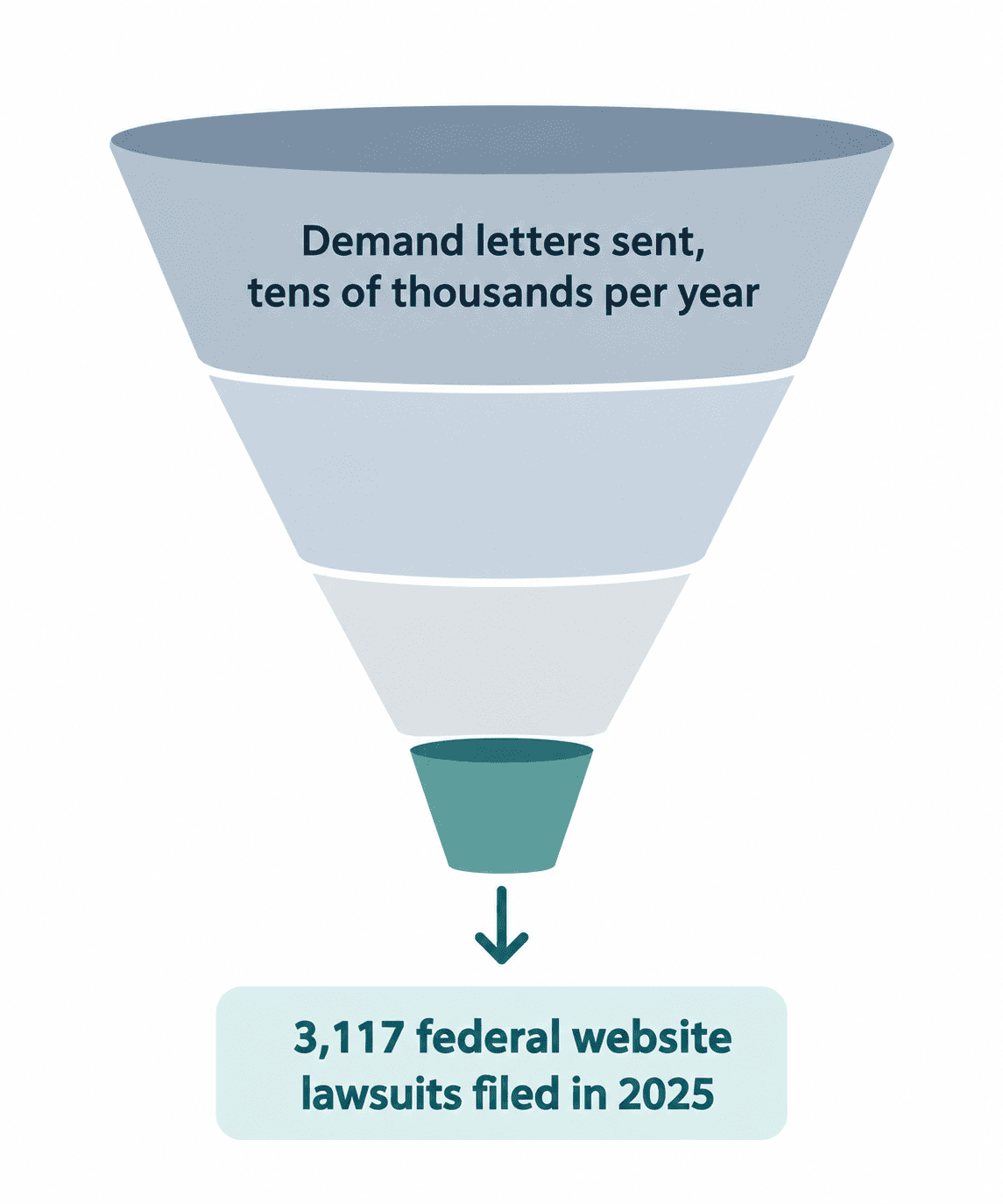
Real scale helps here, because the fear this creates is usually bigger than the actual odds of a specific letter turning into a courtroom case. Plaintiffs filed 3,117 federal website-accessibility lawsuits in 2025, up 27 percent from 2,452 in 2024. Demand letter volume runs far higher than that, researchers estimate the real total somewhere in the tens of thousands a year, meaning the large majority of demand letters are negotiated, resolved, or simply dropped long before anyone sees a courtroom.
That doesn't make a letter nothing. It makes it a real, time-sensitive piece of correspondence that deserves a calm, competent response, not a filed lawsuit that's already happening.
What to Do First
- Don't ignore it. A demand letter doesn't go away on its own, and not responding removes any chance you had to shape the outcome. Whatever you decide to do next, decide it on purpose.
- Don't panic-buy an overlay. It's the fastest thing to install and the least useful thing you can do right now. More on exactly why below.
- Screenshot and archive the site as it looks today, before changing anything. Sites change constantly, and having a clear record of the state your site was in on the day the letter arrived matters, both for your own reference and for whoever ends up advising you.
- Run a real scan to know the actual scope, not guess at it. Most letters name a handful of specific problems, but a full scan tells you what else is really there. Alt text, skip navigation, language attributes, form labels, and link or button names are the categories most often cited in real demand letters, so they're usually the highest-leverage place to start. Axeazy's free scan takes about 60 seconds and becomes the starting point of your dated fix record in the same step.
- Start a real, dated fix record from today forward. Every actual code change, timestamped, not a settings toggle or a badge. More on why this matters below.
- Get a lawyer involved for anything beyond the technical fix. Responding to the firm, negotiating, assessing your actual exposure under federal and state law, all of that is legal work that should run alongside the technical remediation, not wait for it to finish first.
Why an Overlay Makes This Worse, Not Better
An accessibility overlay is a script that runs on top of your existing page. It doesn't rewrite your HTML, and the underlying violations a scan would find are still there after you install one, they're just papered over at runtime for whichever visitors the script manages to catch correctly.
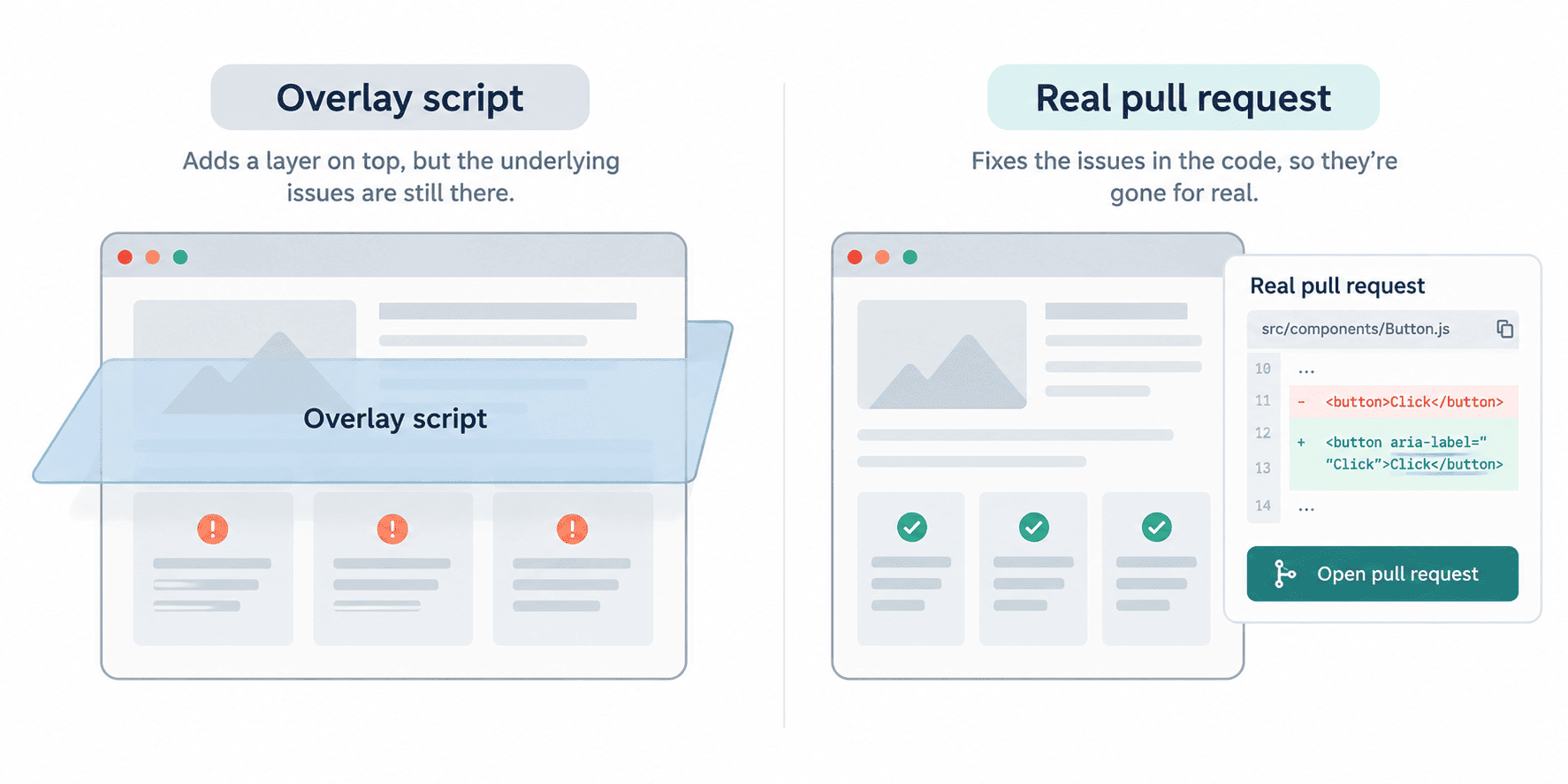
That gap has become a real legal liability, not just a technical one. A widely cited figure puts roughly a quarter of companies sued in recent years as already having had an overlay installed at the time the complaint landed. And in April 2025, the FTC finalized a consent order against an overlay vendor, requiring it to pay $1 million for claiming its product could make any website compliant with WCAG, a claim the FTC found false, misleading, and unsubstantiated.
The part that matters for a demand letter specifically: opposing counsel can point to a visible overlay as evidence the business already knew accessibility was a concern and chose something cosmetic instead of a real fix. That undercuts exactly the good-faith argument you'd want to be making.
What a Good Faith Timeline Actually Proves
A compliance badge, on its own, proves nothing about what was actually done or when. It's a graphic. A dated record of real code changes is different: it's inspectable, it's falsifiable, and it shows genuine effort starting from a specific point in time, which is the thing a lawyer or an insurer actually wants to see if a demand letter shows up.
That's what a "Good Faith Timeline" means in practice: every real fix, timestamped, building into a record you can point to. It starts the moment you run a scan and begin acting on what it finds, which is why step four above and this step are really the same action.
It's worth being honest about what that record proves and what it doesn't. Automated tools, Axeazy included, reliably catch only the WCAG 2.2 AA issues a machine can test, not all of them. A dated remediation record is evidence of real, ongoing effort. It isn't a claim that the work is finished, and no legitimate tool should tell you it is.
What Only a Lawyer Should Handle From Here
This article, and Axeazy generally, isn't a law firm and doesn't give legal advice. A few things genuinely need an attorney who has read your specific letter, not a blog post:
- Formally responding to the firm that sent the letter. Anything you say can become part of a negotiation. Have counsel review it before you send anything back.
- Assessing your actual legal exposure. This depends on your state as much as federal law. California is a common example: the Unruh Civil Rights Act treats an ADA violation as an automatic Unruh violation too, with a minimum statutory damage of $4,000 per violation under Civil Code Section 52(a), on top of the federal exposure. Other states have their own rules, and only a lawyer licensed where you operate can tell you what actually applies to you. For a sense of scale, see typical ADA website lawsuit settlement amounts.
- Deciding whether, and how, to negotiate or settle. This is a legal and financial judgment call specific to your situation, not something a general guide can respond to.
- Confirming any real deadline in your letter. There is no general federal right-to-cure window for ADA Title III website claims today. If you've heard otherwise, be cautious about the source: a California bill sometimes cited in this context, SB 84, addresses construction-related physical accessibility, not websites, and it's a different law entirely. Don't assume a grace period exists without your own attorney confirming it.
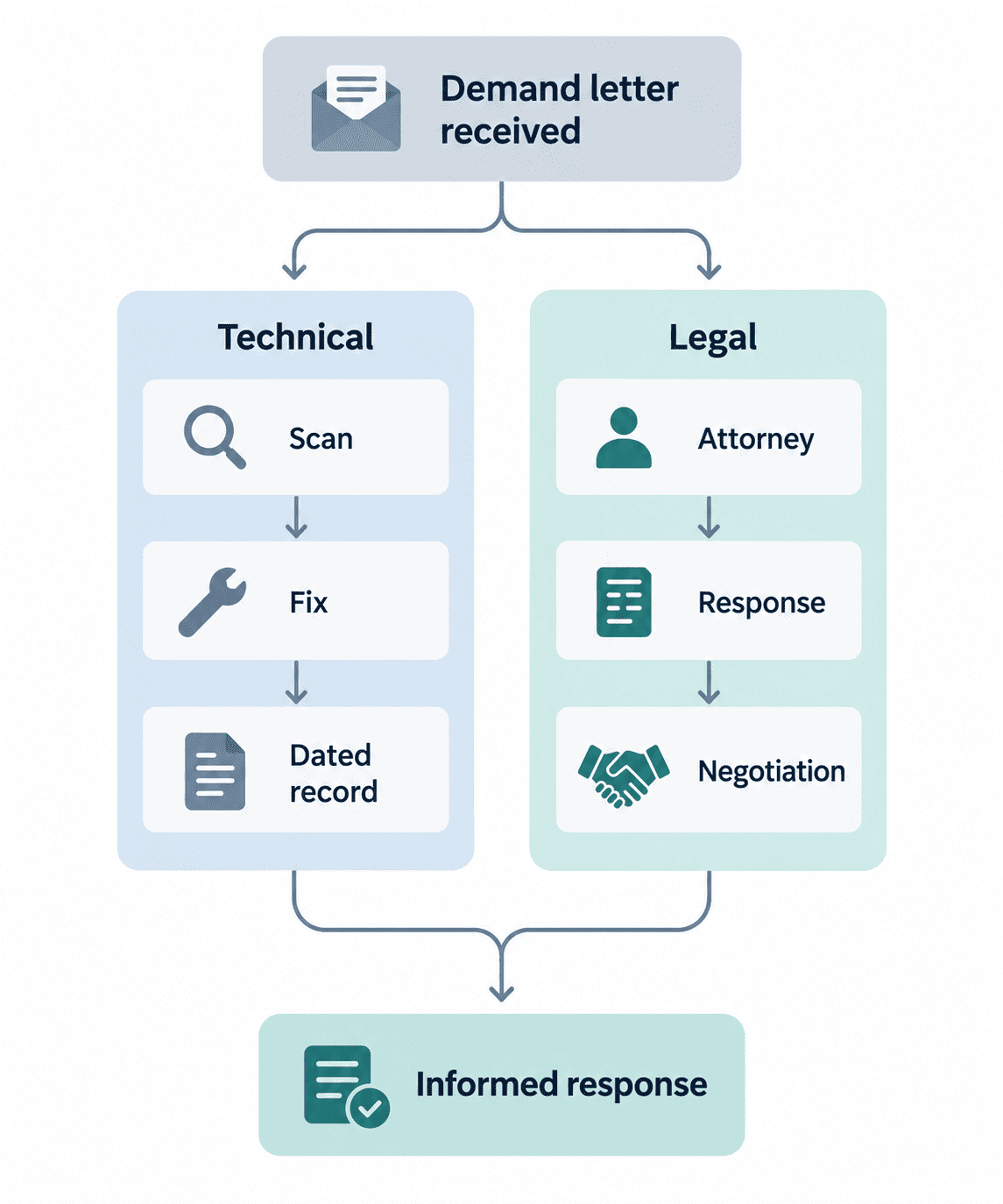
The technical remediation and the legal response are two separate tracks. They should run at the same time, not one waiting on the other.
FAQ
Is a demand letter the same as being sued?
No. A demand letter is a pre-litigation settlement demand, correspondence, not a court filing. Being sued means a complaint has actually been filed in court. Most demand letters are resolved, negotiated, or dropped well before that stage.
Do I have a legal grace period to fix things before this becomes a lawsuit?
Not automatically. There is no general federal right-to-cure window for ADA Title III website claims. A California bill sometimes mentioned in this context, SB 84, applies to construction-related physical accessibility, not websites, so it doesn't create one either. Whether any grace period applies to your situation is a question for an attorney licensed in your state.
Will installing an overlay make the letter go away?
No, and it can make your position worse. An overlay doesn't change your underlying code, so the violations a scan would find are usually still there. A widely cited estimate puts roughly a quarter of recently sued companies as already having had an overlay installed, and opposing counsel can point to that as evidence you knew about the issue and chose a superficial fix.
Does fixing my site after the letter arrives make me look guilty?
No, the opposite. Real, documented remediation after notice is standard practice and generally viewed favorably. A dated record of genuine fixes starting from the day you learned about the problem is exactly the kind of good-faith evidence a lawyer or insurer wants to see.
How fast do I actually need to respond?
It depends on what your specific letter says. Many state a deadline; some don't carry any formal legal deadline at all since they aren't a court filing. Either way, letting it sit unanswered isn't a good strategy, and an attorney who has read your actual letter can tell you what timeline you're really working with.
Sources
Want this in your inbox?
The ADA Alert. Weekly intelligence.
Every Tuesday: accessibility news, common WCAG issues, and code-level fixes. Free. Unsubscribe in one click.
Scope of every report we ship: SCOPE LIMITATION: This report documents violations identified by automated WCAG 2.2 AA scanning using axe-core v4.11.0. Automated tools cannot test every WCAG criterion; many criteria require manual review. This report does not constitute legal advice, guarantee ADA compliance, or protect against legal action. ADA compliance is a legal determination made by courts. For full WCAG conformance assessment, engage an IAAP-certified accessibility professional.